We help you share your SONGS & VIDEOS
TSPlayer.com is a project that was launched in 2006 and has been gaining popularity since then. It is a collection of audio and video products for web and mobile devices, which can be used with WordPress and Dreamweaver, but is also available as standalone software.
Our best software developers, designers and web security experts are assigned exclusively to this project.
Browse Our Products
Browse Our Products
What are you looking for?
Audio and Video Player


- Audio and Video Player, WordPress plugin with support for desktop and mobile browsers
- Support: MP4, OGG, WebM, WMV, MP3, WAV, WMA and WebSRT
- Allow playlists and multiple skins
Audio5

- HTML5 Audio Player with support for both new and older browsers
- Great adaptability to the different web browsers
- Easy setup and use
- Really practical controls
Video5

- HTML5 video player with improved portability
- Visual adaptability
- Easy intallation and use
- Features handy controls to manipulate the video during playback
Our Services
Service Description
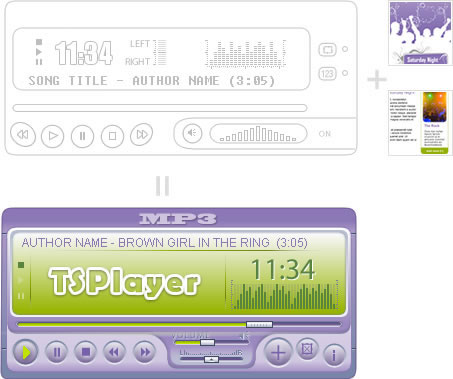
A music player may be built with our visual interface by selecting the desired visual environment, but you may also order a unique and special music player design for your website.
100% adaptable to your particular Website design
The information you give will serve as a guideline for designers of the visual environment you need and expect.
We guarantee the exclusivity of your music player design that will make your website totally unique.
Custom solutions are available starting from just US$ 25.00.
The development time can be as speedy as three working days depending of the revisions required.
Service Details & ContractCustom Designs