You will be redirected to a Download Page after payment. Your Download Link will be also emailed to the address used for the payment.
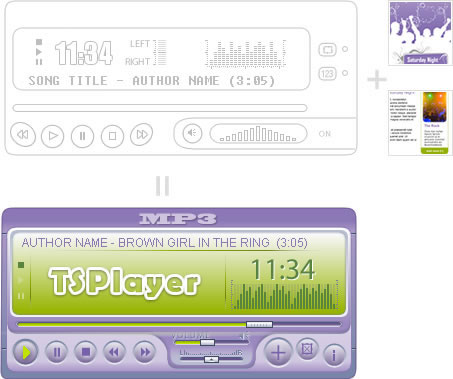
If you already purchased Secure TSPlayer, then you can acquire here the Classic Skin file and add it to the player. Otherwise CLICK HERE to buy the music player with classic skin previously.
Skin Only (does not include SecureTSPlayer):USD $5.00
Google Checkout:
Note: This skin is offered separately from the other Secure TSPlayer related products, however, in order to use the skin, you need to acquire previously the SecureTSPlayer - Flash Music Player.
SECURE-TSPlayer V4.5 is a software developed for playing mp3 audio files. It can be used on any webpage where audio playback is required. SECURE-TSPlayer V4.5 is an audio player developed in Flash for Flash players version 7 or higher.
What are the main features?
Secure playing, prevents unauthorized downloads by means of ciphering the playlist and ciphering the song requests(requires PHP on server).
Support for RSS (widely used for podcasts distribution), XSPF and MP3 files
Reads ID3 tags from the MP3 files
Two visualization modes, with the playlist or without it, you can see both in the online samples
Possibility of loading songs from third party domains (requires PHP on server).
Possibility of specifying an image for each song
Buffering or streaming mode are configurable. If buffering is selected, the player loads the entire song before start playing. On the other hand, if streaming is selected, the player downloads and plays at the same time.
SecureTSPlayer Skins are compatible with TSPlayerV2.1 skins
The player can be configured for: autoplay, shuffling(sets the playlist to random playing order), auto repeat, start volume, show without playlist, streaming/buffering, secure/normal , load from third party domains, and more.
You can use it with a transparent background to match your own site background
Available hot areas: play, stop, skip to the next or previous track, pause, select a track from the playlist, set to random(sets the playlist to random playing order), toggle repeat, mute, volume control, speaker balance, drag a selected track to play it, open related link and open related image.
The playlist filename is a parameter, you are free to select the name (Examples: playlist.xml, playlist.php, list.asp ...), this is useful when creating a database driven playlist, you can find more info about this in our FAQ.
No programming skills required
No database required
Compatible with most browsers, both PC and Mac.
You can acquire additional skins separately at a lower cost
Available as Dreamweaver extension (optional)
Very easy to install and use
Unlimited domain license
24/7 dedicated support
Note: If you are looking for a thin horizontal Flash music player, take a look at our Mini Flash Music Player. We also offer a player that looks like this one, but with fewer features: TSPlayerV2.1.
Installation
USING WITH DREAMWEAVER
Double click the downloaded MXP file that will install the component to be used in Dreamweaver.
Restart Dreamweaver.
Go to Commands > SECURE-Player v4.5
A configuration dialog will appear and will guide you through the entire process. All necessary folders will be created in your website structure.
USING WITHOUT DREAMWEAVER
No installation needed, just see the sample included in the downloaded file.
Tips
In case the published skins do not satisfy your site requirements, you can contact us and use our design services for the flash music player to match your Web site perfectly.
If you have already purchased SecureTSPlayer you can acquire new skins for a lower price.
To prevent malicious software developed by third parties to intercept the streaming from your server, then you should contract the SSL service.
NOTE: In order to use SECURE-TSPlayer V4.5 in safe mode it is essential for the webserver where the website is hosted, to support PHP scripts. The non-secure standard mode does not require server side scripts.